
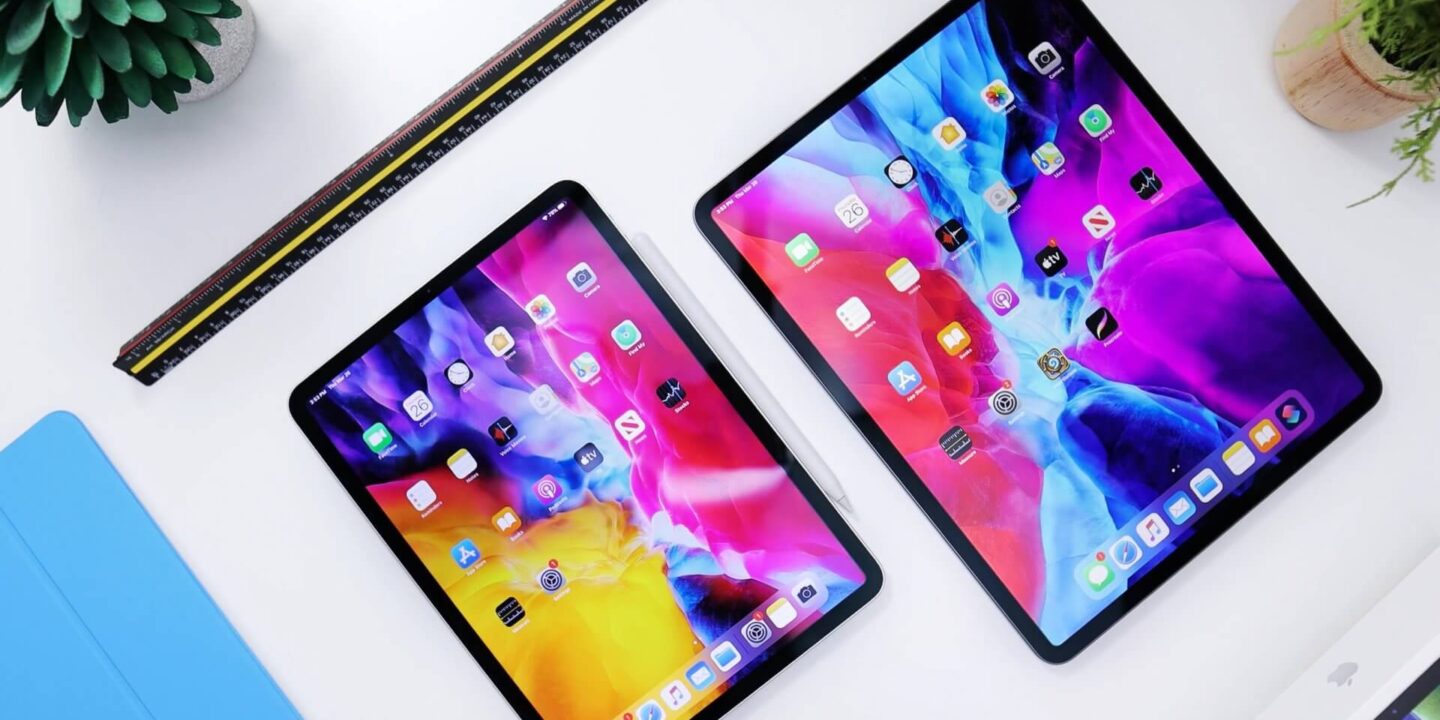
iPadOS 14 Is Newly Designed Specifically for iPad
Discover how iPadOS 14 is newly designed specifically for iPad with redesigned apps, Apple Pencil Scribble, improved search, and better productivity features.
iPadOS 14 Is Newly Designed Specifically for iPad
iPadOS 14 is newly designed specifically for iPad, bringing a more refined, productive, and intuitive experience that takes full advantage of the iPad’s larger display. With redesigned app layouts, improved search, smarter Apple Pencil features, and better navigation, Apple makes the iPad feel more powerful for work, study, and creativity.
This update is more than a routine software refresh. It shows Apple’s growing focus on making the iPad a unique platform with features tailored specifically for tablet users.
What Is iPadOS 14?
iPadOS 14 is Apple’s operating system update built for iPad devices. It enhances usability, multitasking, handwriting, navigation, and system-wide search while keeping the clean and familiar Apple experience intact.
The update is designed to make the iPad more efficient and more natural to use, especially for people who rely on it for note-taking, business tasks, learning, and creative work.
Key Features of iPadOS 14
Redesigned App Layouts
One of the biggest changes in iPadOS 14 is the redesign of key apps. Apple introduces sidebars and streamlined toolbars that make apps easier to navigate and better suited to the larger iPad screen.
Apps like Photos, Files, Notes, Music, Mail, and Calendar now show more content in a cleaner and more organized layout. This makes it easier to switch between sections and complete tasks with fewer taps.
Improved Search Experience
Search in iPadOS 14 becomes faster and less disruptive. Instead of taking over the whole screen, search now appears in a compact floating design.
Users can quickly search for apps, contacts, documents, web information, and content within apps without interrupting their workflow. This makes the iPad feel more efficient for everyday use.
Apple Pencil Scribble
Apple Pencil becomes much more powerful in iPadOS 14 with the introduction of Scribble. This feature allows users to write by hand in any text field, and the iPad automatically converts handwriting into typed text.
It creates a more natural experience for users who prefer writing over typing.
Shape Recognition
iPadOS 14 can detect hand-drawn shapes and convert them into cleaner versions. This is useful for note-taking, sketching, diagrams, and visual planning.
Better Handwritten Note Editing
Handwritten notes are easier to select, move, copy, and paste in iPadOS 14. These improvements make Apple Pencil more practical for students, professionals, and creators.
How iPadOS 14 Improves the iPad Experience
More Productivity
The updated design helps users work faster by reducing clutter and improving navigation. Sidebars, compact search, and smarter tools make the iPad more effective for handling multiple tasks.
Better for Note-Taking
With Scribble and improved handwriting recognition, iPadOS 14 creates a better digital note-taking experience. Users can write naturally while still benefiting from smart software features.
Designed for a Bigger Screen
Unlike phone software, iPadOS 14 takes full advantage of the iPad’s display. The redesign makes the interface feel more balanced, spacious, and functional.
Redesigned Apps in iPadOS 14
Photos
The Photos app includes a sidebar that improves browsing through albums, shared content, and categories.
Files
The Files app becomes easier to use with better organization and navigation options, helping users manage folders and documents more effectively.
Notes
Notes gets stronger support for handwriting and Apple Pencil features, making it more useful for productivity and study.
Music, Mail, and Calendar
These apps also benefit from improved layouts that make better use of available screen space and simplify navigation.
Why iPadOS 14 Matters
iPadOS 14 matters because it strengthens the iPad as its own platform instead of simply extending the iPhone experience. Apple clearly focuses on how people actually use iPads for work, creativity, communication, and learning.
This makes iPadOS 14 an important update for anyone who wants a more capable and flexible tablet experience.
FAQ
What is the main feature of iPadOS 14?
The main feature of iPadOS 14 is its interface redesign for iPad, including sidebars, compact search, and enhanced Apple Pencil functionality like Scribble.
Does iPadOS 14 support handwriting recognition?
Yes, iPadOS 14 supports handwriting recognition through Scribble, allowing users to write in text fields with Apple Pencil and convert handwriting into typed text.
Which apps are redesigned in iPadOS 14?
Photos, Files, Notes, Music, Mail, and Calendar are among the apps redesigned in iPadOS 14.
How does iPadOS 14 improve productivity?
iPadOS 14 improves productivity with better navigation, compact search, redesigned apps, and Apple Pencil tools that support faster note-taking and editing.
Conclusion
iPadOS 14 is newly designed specifically for iPad, and that focus makes the device more productive, more natural to use, and more capable for everyday tasks. With redesigned apps, compact search, and powerful Apple Pencil updates, Apple delivers a software experience that fits the iPad’s larger screen and broader role.







No Comments